
CorrLinks
Advanced Technologies Group, LLCCommunication
3.62.96K Reviews
- Version
- 5.0.20
- Installs
- 1.00M
- Age Rating
- Everyone
Screenshots
Our Review of CorrLinks
 Analysis by Appyee
When communication with someone in custody depends on a specific channel, choosing an app is less about convenience than about whether both people can realistically use it. I see CorrLinks as a focused tool for that situation, not a substitute for the messaging apps most of us use with everyone else. Its value comes from serving a particular connection; that also means it will not suit people who simply want a general-purpose chat app.
Trust starts with the limits of the service
CorrLinks is a free communication app from Advanced Technologies Group, LLC. It has been available since November 26, 2012, and its current version is 5.0.20. The app has an average rating of 3.7 from around 9,100 ratings, with roughly 2,900 written reviews and over a million installs. Those figures suggest a service many people have tried, but they are not a guarantee that every institution or account experience will be the same.
The important distinction is that this is not ordinary private chat. Messages involving incarcerated people may be subject to institutional rules and monitoring, so I would treat each message as correspondence that should be suitable for that setting. That does not make the app inherently untrustworthy; it means the context matters more than the familiar feel of a phone interface.
What to consider before creating an account
The app’s focus can make the first steps feel less straightforward than joining a standard messaging service. In the original setup experience, registration involved verification and connecting with the other person’s account through an invitation. I would sort out that invitation and confirm the relevant institution’s process before relying on the app for a time-sensitive conversation. If the other person cannot be connected through the appropriate route, downloading the app alone will not solve the problem.
Account access is also a useful moment to slow down and check what you are entering. Use an email address and login details you can reliably access, and avoid sharing account credentials with other people just to make coordination easier. If you help an older relative set things up, let them enter their own password and understand which account is being used. That simple boundary makes it easier to keep control of messages and notifications.
Messaging with care
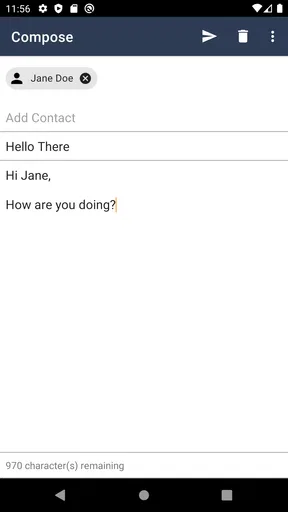
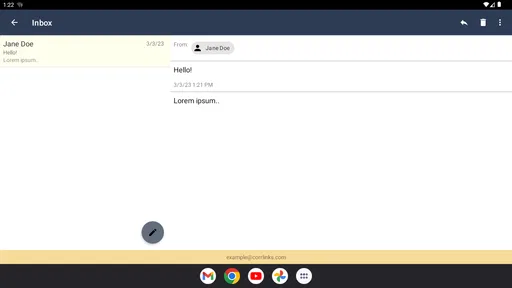
The interface is designed around correspondence rather than a sprawling social feed. That can be helpful when you want to find a conversation and write a clear reply without navigating lots of unrelated features. The ability to send photos can also make an exchange feel more personal, but I would choose images thoughtfully and follow any applicable institutional restrictions. A photo can carry private details in the background, so check what is visible before sending it.
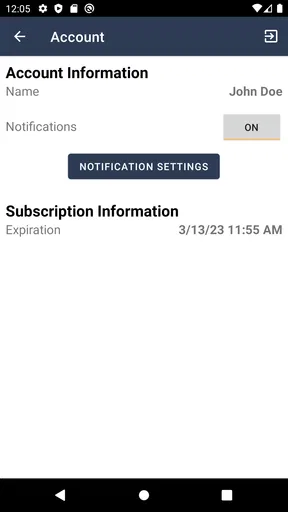
Notifications are useful if you want to know when there is activity, but they can expose sensitive information on a lock screen. I would review the phone’s notification settings and decide whether message previews should appear where other people might see them. This is a practical privacy choice on your device; it does not change how institutional review works. If you share a phone or leave it unattended, keeping previews out of view may be the more comfortable option.
Costs, expectations, and everyday planning
The app is free to download, while in-app purchases are listed at $8.99 per item. I would check the price and terms shown for a purchase inside the app before confirming it, especially if you are considering a paid option for regular use. The earlier experience described premium perks such as faster delivery and additional storage, but those are not reasons to assume that every message will arrive instantly or that a paid tier removes institutional procedures.
For a realistic routine, imagine a family member who wants to send a short update after work. They can draft a few clear points, check the recipient and any attached image, then send when they have time to read the screen carefully. If a reply does not arrive when expected, I would avoid sending multiple versions of the same message in a hurry. First check the conversation and the app’s current status, then allow for the fact that this channel may not behave like instant chat.
Who will find it useful—and who may prefer another route
This is most useful for people who already have a permitted connection to someone who uses the service and want a phone-based way to keep up correspondence. It may also suit relatives who are comfortable with a focused messaging interface and willing to work within institutional requirements. The age rating is Everyone, but that does not mean every message or image is appropriate for every setting; the communication context still calls for care.
If you need casual, immediate conversation with friends who are not using this service, a mainstream messaging app is the more natural choice. Those apps are built for broad social use, while CorrLinks is shaped around communication with incarcerated people. It is also not the right answer if you need a channel that guarantees a particular delivery time, or if you are unwilling to handle account verification and institution-specific steps. Before depending on it, ask the person you are contacting which communication options are actually available to them.
A Glimpse into CorrLinks
First things first, CorrLinks is a communication tool designed specifically to connect inmates with their family and friends. It’s not just another messaging app, but rather a vital lifeline for many. The app facilitates email correspondence for inmates in federal prisons, allowing them to keep up with the outside world. And trust me, that’s a big deal!
The app is available on both Android and iOS, which means you can use it on pretty much any smartphone. Setting it up was straightforward, though I had to jump through a few hoops to get the account verified. But hey, a little extra security never hurt anyone, right?
Getting Started
Once you’ve downloaded the app, the registration process is a breeze. You’ll need to enter some basic information, and from there, it’s all about linking up with the inmate’s account. This part requires an invite, so make sure you’ve got that squared away. It’s all about ensuring privacy and security for both parties involved.
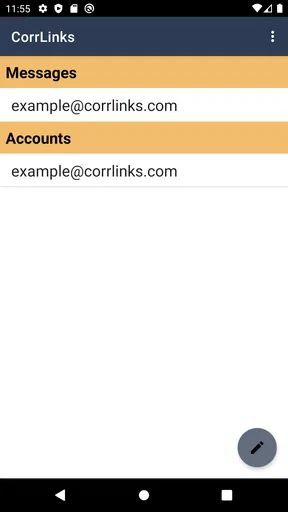
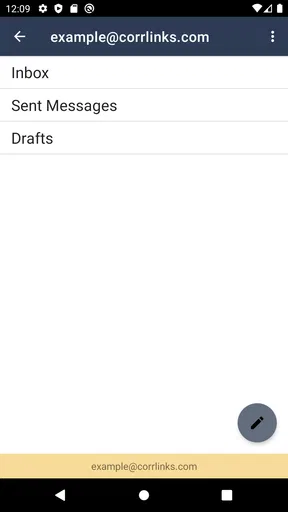
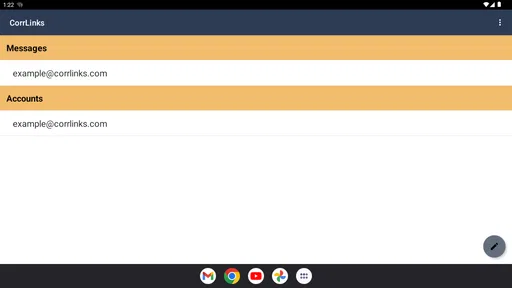
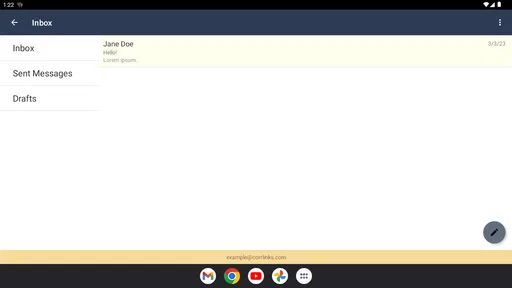
After setting up, the dashboard is pretty intuitive. You’ll find your messages neatly organized, and sending emails is as simple as tapping a button. One neat feature is the ability to get notifications, which is super handy. You don’t want to miss out on any important updates, after all.
Features That Stand Out
What really caught my attention is how user-friendly the app is. You don’t need to be tech-savvy to navigate through it. The interface is clean, and everything is laid out in a way that just makes sense. Plus, the app allows you to send photos, which is a fantastic way to share moments with your loved one.
Another noteworthy feature is the security aspect. All communications are monitored, so you can rest assured that everything is above board. It’s all about maintaining a safe environment for everyone involved.
Why CorrLinks Is a Must-Have
Staying connected with someone in prison can be a challenge, but CorrLinks bridges that gap beautifully. It’s not just about sending messages; it’s about maintaining a relationship, sharing experiences, and providing emotional support. And let’s face it, that’s something money can’t buy.
The app also offers a premium service, which, for a small fee, gives you some added perks. Things like faster message delivery and additional storage can make a world of difference, especially if you’re a frequent user.
Things to Keep in Mind
While the app is fantastic, it’s not without its quirks. Sometimes, the app can be a bit slow, especially during peak times. It’s not a deal-breaker, but it’s something to be aware of. Also, the fees for sending messages can add up, so keep an eye on that if you’re on a budget.
On the whole, though, the app is pretty solid. It does what it sets out to do, and it does it well. If staying in touch with someone behind bars is important to you, then this app is definitely worth considering.
Final Thoughts
In conclusion, CorrLinks is more than just an app—it’s a lifeline. Whether you’re a family member, a friend, or just someone looking to support an inmate, this app provides a reliable and secure way to communicate. It’s easy to use, packed with essential features, and, most importantly, it keeps you connected. So go ahead, give it a try, and keep those connections strong!
My cautious recommendation
I would approach CorrLinks as a practical channel for an established connection, rather than as a promise of seamless, real-time conversation. Before making it part of a daily routine, confirm the invitation process, check how the person on the other side can use it, and agree on realistic expectations for replies. That small bit of preparation can prevent confusion when a message does not appear as quickly as it would in a typical chat app.
For families coordinating around work, school, or caregiving, a useful habit is to write messages when there is enough time to review them, rather than composing in a rush between errands. Keep sensitive details out of a message unless they are genuinely needed, and check attachments and notification previews before sending or leaving the phone unattended. Those choices do not replace institutional rules, but they give the sender more control over what is shared on their own device.
CorrLinks is worth considering when this is the communication route available to someone you care about. If your priority is broad social messaging, guaranteed immediacy, or a service that works without account and institution-specific steps, I would choose another option where both people can use it. For the right connection, though, a straightforward way to exchange correspondence can matter a great deal. My recommendation is positive but measured: use it with clear expectations, sensible privacy habits, and a willingness to follow the rules of the setting.
Verdict
Strengths of CorrLinks
- Easy to use interface enhances user experience.
- Affordable subscription plans available.
- Reliable for secure communication.
- Supports multiple devices seamlessly.
- Efficient notification system for messages.
Limitations of CorrLinks
- Limited customization of user interface.
- Occasional delays in message delivery.
- No option for video calls or chats.
- Requires internet connection to function.
- Lacks advanced security features like encryption.
Other Releases by Advanced Technologies Group, LLC
View All
CorrLinks Text Chat
Communication3.3
Similar Picks in This Category
View All
Google Messages
Google LLC4.6

Gmail
Google LLC4.1

Google Meet
Google LLC4.4

Google Chrome
Google LLC4.1

WhatsApp Messenger
WhatsApp LLC4.6

Carrier Services
Google LLC4.2
Frequently Asked Questions
What is CorrLinks, and how does it work?
CorrLinks is a communication tool that allows inmates to communicate with friends and family through a secure email system. Users must create an account on the CorrLinks website, and inmates can add them to their contact list. Once connected, users can send and receive messages, making it easier to maintain relationships with incarcerated individuals.
Is CorrLinks free to use, or are there any costs involved?
While creating a CorrLinks account is free, there are costs associated with sending messages. Users typically pay a small fee per message, which can vary based on the facility's regulations. It’s important to check the specific costs involved before using the service to avoid unexpected charges.
Can CorrLinks be accessed on mobile devices?
Yes, CorrLinks offers a mobile app that is available for both Android and iOS devices. The app provides a convenient way to send and receive messages on the go. Users can download the app from the Google Play Store or Apple App Store and log in with their CorrLinks credentials to access their account.
How secure is the communication on CorrLinks?
CorrLinks provides a secure platform for communication with inmates. The service is monitored and managed by the Bureau of Prisons, ensuring that all messages are screened for security purposes. However, users should be aware that messages are not private and can be reviewed by prison officials.
What should I know about message delivery times and restrictions?
Message delivery via CorrLinks may not be instantaneous, as all messages are subject to review by prison staff. Users should expect delays, especially during weekends and holidays. Additionally, there are restrictions on the content of messages; for example, messages cannot contain any illegal or inappropriate content, and there might be word limits based on the facility’s policies.
